
Workflow automation is software that triggers actions automatically in response to events — like 'new form submission creates a task' — so small teams skip repetitive manual work.
The short version
Workflow automation is what happens when you say:
“Every time X happens, do Y automatically.”
X is a trigger (a form submission, a new lead, a file upload, a Slack message). Y is an action (create a task, send an email, update a spreadsheet, notify someone).
You wire them together once. A tool watches for X, runs Y without you, forever.
A simple automation, visualized
That one automation alone saves most small teams 15–30 minutes per lead. Across 20 leads a month, that is a workday per month back.
Where it actually pays off for small teams
The realistic wins are small and repetitive, not futuristic.
- Lead capture: form → CRM contact + Slack notification.
- Onboarding: signed proposal → welcome email + contract + invoice.
- File handling: uploaded invoice → rename + move to accounting folder + Slack confirmation.
- Meeting follow-ups: meeting ends → send notes + create follow-up task.
- Billing: invoice paid → mark project “paid” + thank-you email.
The three kinds of automation tools
There are three broad categories of tool. The difference is how visual, how powerful, and how cheap they are at scale.
- Huge catalog of integrations
- Friendly visual builder
- Priced per run or per task
- Self-host or cloud
- Flat pricing at scale
- Requires some technical comfort
- Works inside the host app
- Included in your existing plan
- Limited to that product’s universe
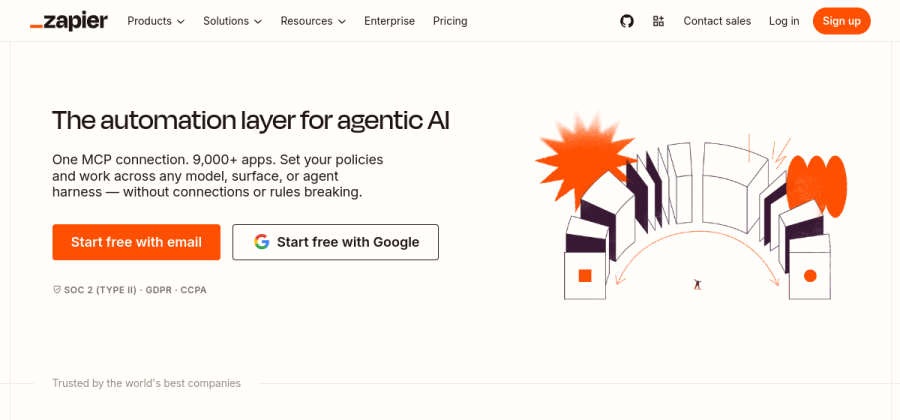

The most polished and popular automation tool. Thousands of app integrations and a genuinely easy visual builder.
Open Zapier

Formerly Integromat. More powerful visual flows at a lower price than Zapier — slightly steeper learning curve.
Open Make

Open source automation. Cloud version or self-host. Favored by technical teams who want flat pricing at scale.
Open n8n

Built into HubSpot CRM. If you already use HubSpot, this covers most lead + marketing automation without another tool.
Open HubSpotFour solid starting points. Free tiers cover the first few automations for most small teams.
A realistic first automation
If you are new to this, here is the universally-useful first automation for small service businesses:
- 1Pick a triggerNew row in a Google Sheet, or new Typeform response.
- 2Pick an actionSend yourself a Slack DM with the contents.
- 3Test with one entrySubmit a fake response, confirm the Slack message arrives.
- 4Turn it on and forget itLet it run for a week. Expand only if it proved useful.
This takes 15 minutes end to end. You learn the trigger/action pattern in a real way, with zero risk.
When NOT to automate
Automation is not free. Each automation is a tiny piece of fragile plumbing — when an API changes or a field renames, it breaks silently.
FAQ
What is the difference between automation and AI?
Automation follows explicit rules you defined. If X then Y. Predictable. AI outputs depend on a model and the same input may produce different outputs. Many tools mix both now — start with rule-based automation before adding AI steps.
What is the cheapest workflow automation tool?
Built-in automations inside tools you already pay for (Notion, Airtable, HubSpot) are free and often enough. Beyond those, Make is cheaper per task than Zapier at scale. n8n self-hosted is the cheapest at volume if you are technical.
How many automations does a small team need?
Most small teams get 80% of the value from 5–10 automations. More than 20 and you have built a fragile second stack that needs maintenance. Favor depth over sprawl.
Is Zapier or Make better?
Zapier is easier to learn and has more integrations. Make is more powerful per dollar and better for multi-step flows. Most small teams end on Zapier. Technical teams tend to end on Make or n8n.